MULTI-RESIDENTIAL AND COMMERCIAL PROJECTS
Managing Complex Construction Projects
Multi-residential, commercial, and large-scale construction projects typically require greater supervision, more detailed documentation, and stronger compliance controls than single residential projects.
Onsite provides a configurable set of workflows, digital forms, registers, and reporting tools that support project-specific safety, quality, and compliance requirements throughout the project lifecycle.
Project functions are organised into the following areas:
- Contractors
- Registers
- Permits
- Inspections
- Hazards
- Incidents
- Non-Compliance
- Defects
- Administration
Each section can be customised to meet the specific requirements of a project, client, or WHS management plan.
Contractors
The Contractors section is used to manage project contractors, review safety documentation, induct workers, and monitor workforce compliance.
Project Contractors
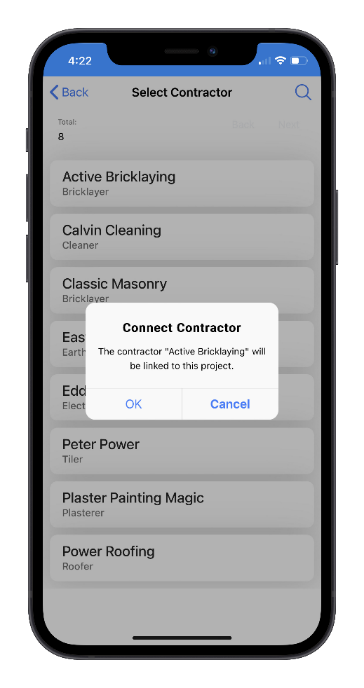
Contractors are selected from the builder's approved contractor database and assigned to a specific project.
A contractor may be assigned to multiple projects at the same time.
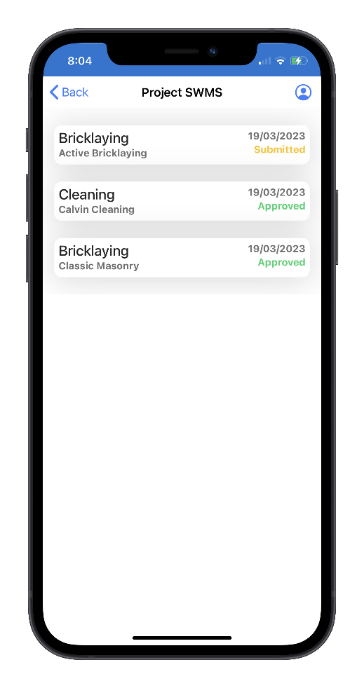
When a contractor is connected to a project, Onsite can automatically send a Project SWMS Request inviting the contractor to submit a project-specific Safe Work Method Statement (SWMS).
Project SWMS
Safe Work Method Statements (SWMS) are a critical component of construction risk management and must be prepared in consultation with workers performing the work.
Project-specific SWMS should:
- Identify project-specific hazards
- Document control measures
- Describe safe work procedures
- Address site rules and regulatory requirements
The SWMS Request email contains a link to an online submission form, including a compliance checklist that must be completed before the SWMS can be uploaded.
After review, the construction team may:
- Approve the SWMS
- Request revisions
- Reject non-compliant submissions
Contractors are automatically notified of the outcome.
Site Inductions
All workers and visitors must complete a site induction before commencing work on site.
To support this process, contractors maintain a register of employees who will be working on the project.
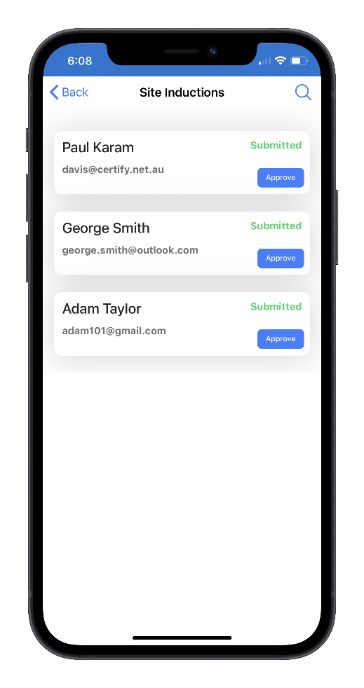
Once a contractor's SWMS has been approved, induction invitations can be sent directly from Onsite.
During the induction process, workers:
- Review the approved project SWMS
- Confirm they have read and understood it
- Complete project-specific induction requirements
- Submit acknowledgements and declarations
Induction Status
The progress of each induction can be monitored using the following statuses:
| Status | Description |
| Pending | Awaiting invitation |
| Requested | Induction invitation sent |
| Submitted | Worker has completed induction |
| Approved | Induction reviewed and approved |
When an induction is approved, an induction number is generated and can be used for worker identification or hard-hat sticker programs.
Site Attendance
The Site Attendance register provides a real-time record of workers and visitors on site.
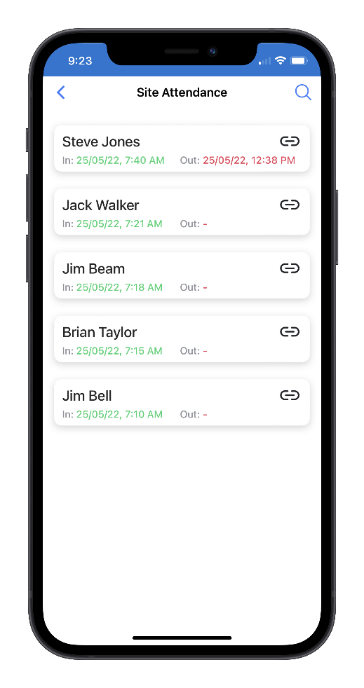
Attendance records include:
- Sign-in and sign-out times
- Contractor details
- Training records
- Induction status
- Daily safety checklist responses
Records can be filtered using the search function by worker name or date.
Attendance information supports workforce monitoring, emergency response, and compliance reporting.
Toolbox Talks
The Toolbox Talks function records safety meetings and workforce communications.
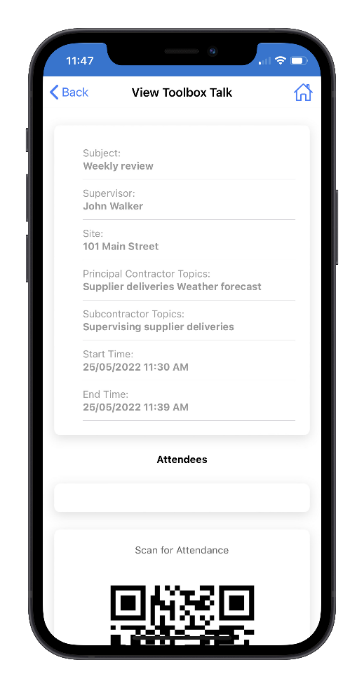
Workers record attendance using:
- A toolbox talk QR code, or
- GPS location verification
Toolbox talk records provide evidence of workforce consultation and communication of project safety requirements.
Contractor Audits
The Contractor Audit function assists supervisors in assessing contractor compliance throughout the project.
Audit checklists may include:
- SWMS approval status
- Worker inductions
- Plant and equipment compliance
- Hazardous chemical management
- Permit requirements
- Emergency preparedness
Audit findings can be recorded and tracked within the project.
Registers
The Registers section maintains project-specific compliance records and asset information.
Additional registers can be added to meet client, company, or project requirements.
Plant Register
The Plant Register records all plant and equipment used on the project.
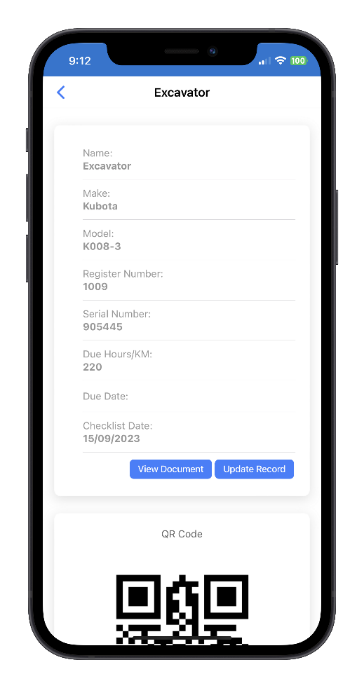
The register supports:
- Plant registration
- Risk assessments
- Pre-start inspections
- Maintenance checks
- Operator verification
Each item of plant is assigned:
- A unique register number
- A project QR code for identification and inspection purposes
Custom forms can be configured for different equipment types.
Electrical Test and Tag
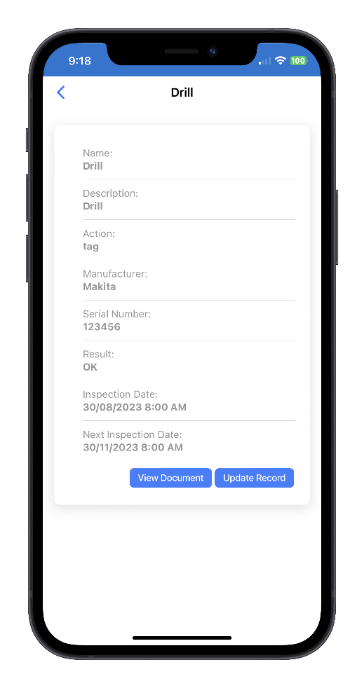
The Electrical Test and Tag register records inspection and testing activities for:
- Power tools
- Extension leads
- Portable electrical equipment
- Flexible cords
Inspection records may include photographs and can be customised to suit project requirements.
Hazardous Chemicals Register
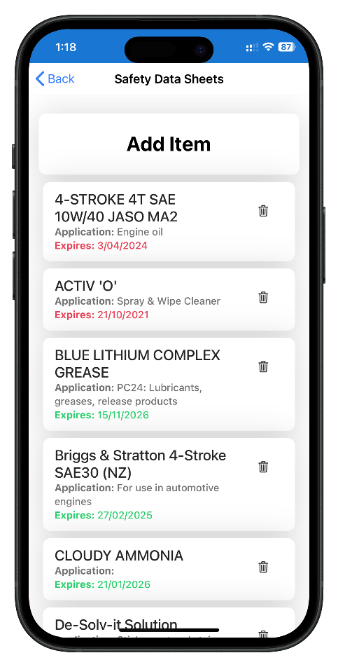
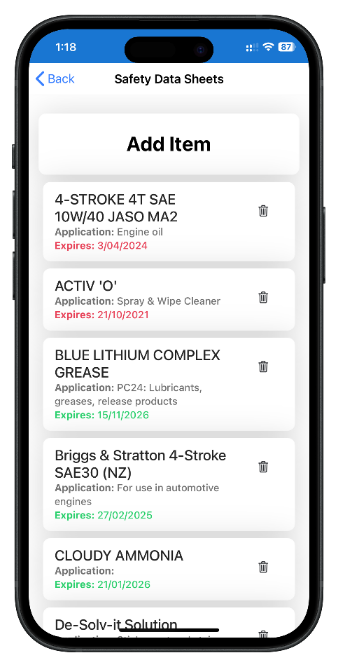
The Hazardous Chemicals register stores Safety Data Sheets (SDS) for hazardous substances used on site.
Users can:
- Upload SDS documents
- Capture SDS images using a mobile device
- View SDS records directly from the register
This ensures workers have ready access to chemical safety information when required.
Permits
The Permits section manages high-risk work activities that require formal approval before work commences.
Permit forms can be configured to suit specific project requirements.
Common permit types include:
Site Establishment Checklist
Used when establishing a new site and covering:
- Site security
- Signage
- Amenities
- Emergency arrangements
- Access and egress
- Training requirements
- Chemical management
Excavation Permit
Required for any activity involving ground penetration, including:
- Excavation works
- Pegs and pickets
- Posts and pins
- Trenching activities
Mobile Crane and Concrete Pump Permit
Used to verify:
- High-risk work planning
- Plant certification
- Operator competency
- Lift plans
- Site-specific risks
Hot Work Permit
Used for activities involving heat, sparks, flames, or ignition sources.
The permit verifies:
- Fire prevention controls
- Hazard identification
- Emergency response arrangements
- Communication requirements
Inspections
The Inspections section supports routine safety, quality, and compliance inspections throughout the project lifecycle.
Excavation Inspection
Used to verify excavation safety requirements, including:
- Underground services
- Excavation controls
- Notifications
- Work planning
Traffic Management Inspection
Used to assess:
- Temporary traffic controls
- Pedestrian management
- Vehicle movements
- Scheduling arrangements
Plant Registration and Pre-Start Inspections
These inspections verify that plant and equipment:
- Have current service records
- Are appropriately maintained
- Are operated by competent persons
- Meet project requirements
Site Inspections
Regular site inspections help ensure:
- Workers on site match attendance records
- Approved SWMS are being followed
- Site hazards are controlled
- Project safety requirements are maintained
Inspection forms can record:
- Text observations
- Photographs
- Video evidence
- Corrective actions
Scaffold Inspection
Scaffolds should be inspected:
- Following erection
- Following modification
- After severe weather events
- At intervals not exceeding 30 days
Formwork Pre-Pour Inspection
Completed immediately prior to concrete pours to verify safety and compliance requirements.
Formwork Pre-Stripping Inspection
Completed jointly by the formwork contractor and site supervisor before stripping activities commence.
Hazards
Hazards can be reported directly from mobile devices using configurable forms.
Hazard records may include:
- Observations
- Risk ratings
- Photographs
- Videos
- Recommended actions
Where required, a Corrective Action Request (CAR) can be assigned to a contractor.
Hazards progress through the following workflow:
Open → Requested → Responded → Closed
Incidents
The Incidents module records and manages workplace incidents and near misses.
Supported incident types include:
- Worker injuries
- Environmental incidents
- Property damage
- Near misses
- Notifiable incidents
Incident investigations, corrective actions, and supporting documentation can all be managed within the system.
Non-Compliance
The Non-Compliance Notice function records breaches of project safety requirements.
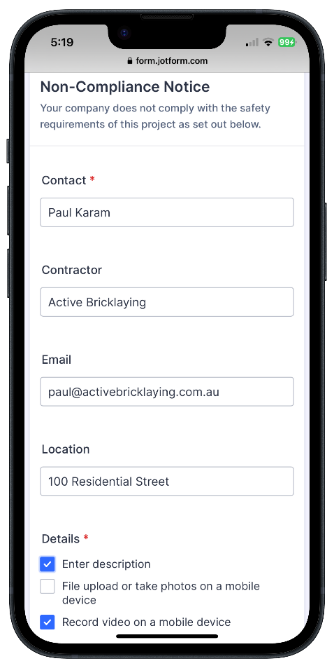
Notices can include:
- Detailed descriptions
- Photographs
- Videos
- Corrective actions
- Due dates
Each notice is automatically linked to:
- The issuing user
- The project
- The responsible contractor
Onsite monitors the notice and any associated Corrective Action Requests until all actions are completed and the notice is closed.
Defects
The Defect Notice function manages quality and workmanship issues identified during construction.
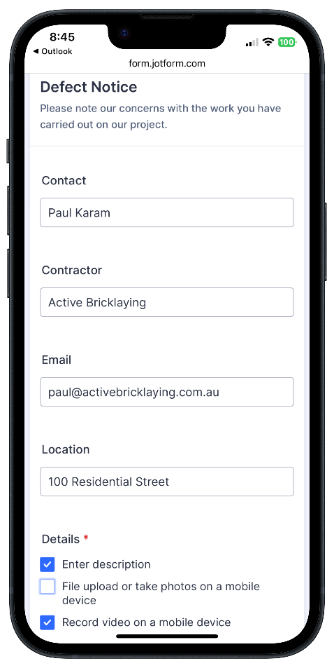
Defect records may include:
- Descriptions of defects
- Photographs and videos
- Required rectification works
- Due dates
- Verification of completion
Defects remain open until all required corrective actions have been completed and verified.
Project Administration
The following functions are available to users with the Administrator role.
Action List
The Action List works with the Action Agent to identify project records requiring attention.
Examples include:
- Open corrective actions
- Outstanding inspections
- Unreviewed inductions
- Compliance issues
Results can be exported to Excel and include direct links to the originating records.
Site Message
The Site Message function manages the project's Message of the Day, displayed to workers during sign-in.
Administrators can also send:
- Email notifications
- SMS alerts
to workers currently signed in on site.
Download QR Code
Downloads the project's unique QR code for use on:
- Site entry signage
- Attendance stations
- Toolbox talk boards
- Emergency information boards
Project Documents
Allows project documents to be uploaded and managed, including:
- WHS Management Plans
- Emergency Procedures
- Site Rules
- Project Specifications
- Safety Bulletins
Documents are available to workers while signed in to the project.
Edit Project
Allows administrators to update project information, settings, and configuration options.
Export Records
Project information can be exported to Excel for reporting, auditing, client handovers, and record retention.
Available exports include:
- Site Inductions
- SWMS
- Toolbox Talks
- Inspections
Toolbox Talk Topics
Maintains the master list of toolbox talk subjects available when creating toolbox talk records.
Deactivate Project
Deactivates a completed project while preserving all historical records for auditing, reporting, and future reference.