SUBCONTRACTORS
The Subcontractors section enables builders to connect with subcontractors, monitor compliance status, review supporting documentation, and maintain current contractor records through the Certify Network.
These functions help ensure that subcontractors meet contractual, safety, licensing, insurance, and training requirements before and during project delivery.
Compliance Register
The Compliance Register provides an overview of the compliance status of all subcontractors connected to your organisation.
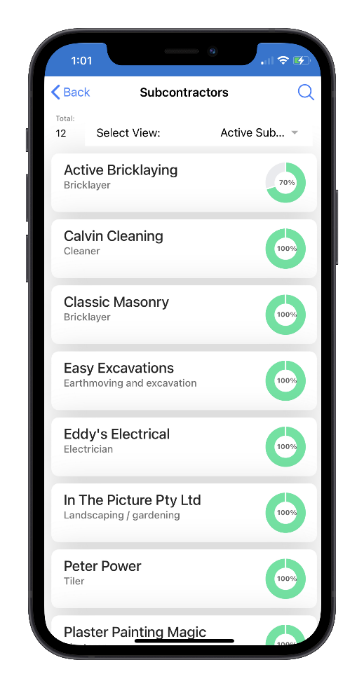
From this register, users can:
- View the compliance status of connected subcontractors
- Review contractor compliance records
- Access supporting compliance documents
- Monitor expiring or incomplete requirements
-
Identify subcontractors requiring follow-up action
The register provides a central location for managing contractor compliance across all projects.
Compliance Items
Selecting a compliance item displays detailed information about a specific compliance requirement together with any supporting documentation.
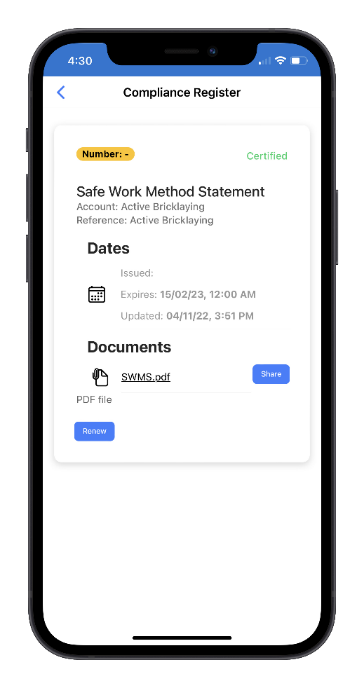
Examples of compliance items may include:
- Public Liability Insurance
- Workers Compensation Insurance
- Contractor Licences
- Trade Qualifications
- Safety Management Systems
- Plant or Equipment Certifications
Viewing and Sharing Documents
Supporting documents can be viewed directly from the compliance record.
The Share function sends an email containing a secure link to the selected compliance documents, allowing them to be shared with clients, project managers, or other authorised parties.
Renewing Compliance Records
When a compliance document is due for renewal, select Renew.
The Renew function:
1. Archives the existing compliance record and supporting documents.
2. Creates a new compliance item.
3. Sets the status of the new item to Incomplete.
4. Prompts the subcontractor to upload updated documentation.
Uploading New Documents
Compliance items with a status of Incomplete or Expired display an Add Document button.
This function allows users to upload updated supporting documents for review.
Once documents are uploaded:
- The Certify Compliance Team is automatically notified.
- Documents are reviewed and validated.
- The compliance status is updated when verification is complete.
Connect Subcontractor
The Connect Subcontractor function allows Administrators to connect a contractor to their organisation.
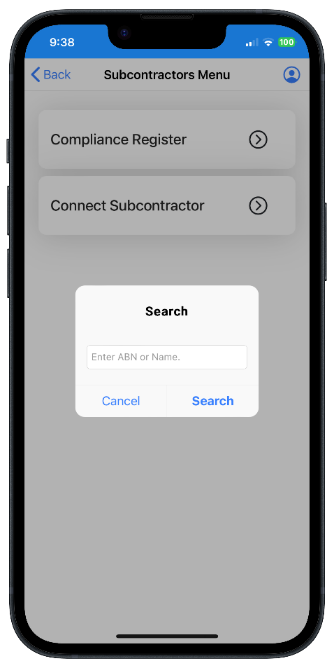
Finding a Contractor
The process begins by searching for the contractor using the built-in ABN Lookup function.
Because every contractor in the Certify Network is uniquely identified by their Australian Business Number (ABN), the system will either:
- Display an existing contractor account, or
- Prompt the user to enter details for a new contractor account
Creating the Connection
After confirming the contractor details, select Submit to create the connection.
Once connected, the subcontractor becomes available for:
- Project assignment
- SWMS requests
- Site inductions
- Compliance monitoring
- Contractor communications
Subcontractor Onboarding
As part of the connection process, Onsite can automatically send email invitations requesting the subcontractor to:
- Complete a Subcontract Agreement
- Complete a Company Induction
- Provide required compliance documents
- Update contractor information
This helps ensure that subcontractor compliance requirements are completed before work commences.
Compliance Management Best Practice
To minimise project risk, builders should ensure that:
- Subcontractors are connected before issuing work orders.
- Required compliance documents are current and approved.
- Expired compliance items are renewed promptly.
- SWMS are reviewed and approved before work begins.
- Worker inductions are completed before site access is granted.
Maintaining current subcontractor compliance records helps reduce administrative effort, improve project oversight, and demonstrate compliance with contractual and WHS requirements.